Showing posts with label website. Show all posts

Thursday, 6 November 2014

The Web Accessibility National Transition Strategy


If you go to the Australian government’s website for the National Transition Strategy you will be greeted with pages of boring government-speak about:

“improved web services”
“the provision of information and services online”
“an important milestone for government”
and “whole-of-government”.

It’s very nice of the government to provide all this information but it is a lot to wade through. Luckily for you, I’ve already done it and tackled the seaweed. And, I've found the pretty shells that you’re really interested in.
 

Here we continue the three-part series on e-accessibility and how you can make your content user-friendly for all abilities, by Perth-based contributor Monica (@thebigmeeow).
 

So let's begin. Here’s what you need to know:


The final goal

All government information that is online will be accessible. How accessible will it be? It will be AA level of WCAG2.0 (for more information about WCAG2.0 check out my earlier post).
 

The levels of WCAG2.0 are like health insurance. A level is your basic cover: dental, optical, and a shared room in hospital. AAA is the 'top-of-the-wazza' chiropractic, homeopathy, no-gap physiotherapy, hip replacements AND maternity, and a private room with your own butler in hospital.
 

The AA level is the middle ground. You get a good selection extras (though not the hip replacements or maternity care) and if you pay a slightly larger excess you can have a private room in hospital – sans the butler.
 

So the final goal for the National Transition Strategy is that most people, with most disabilities, can access government information and services online.

Image of a flow chart for the National Transition Strategy. A full text description is available at http://www.finance.gov.au/publications/wcag-2-implementation/ under the heading "Work Plan"
WCAG 2.0 National Transition Strategy (image format). Source: finance.gov.au/

Government agencies and departments are expected to consider universal design and web accessibility when commissioning future websites, web applications, and other online content


At a minimum


On every government website, some information is more important than others. This information must be compliant with AA level even if the rest of the site isn’t. This includes:
  • contact details;

  • information about the organisation or department, including its role and any relevant legislation;
  • the organisation or department’s functions, structure, key personnel and services;

  • current information about citizens’ responsibilities, obligations, rights and entitlements (benefits, etc.) in relation to government assistance;

  • current public notices, warnings and advice.

If you want to know about the specifics of how to make this information compliant, then I suggest you watch our web accessibility training videos:


If you’re a third party delivering government information and/or services then your online content needs to be compliant too.


The 2012 review

In 2012 the Department of Finance reviewed the progress of the National Transition Strategy. While there had been improvement in the accessibility of some online content, the general conclusion was that most departments will not achieve AA level compliance by the end of 2014.
2012 review statistics shown as images. For full text go to http://www.finance.gov.au/agimo/web-accessibility-national-transition-strategy-2012-progress.html
Depressing statistics with a positive spin. Source: finance.gov.au/


Given the slow progress of agencies and departments adopting the new standards, the report listed eight priorities for departments to achieve before the end of 2014; even if they can’t achieve full compliance. These are:
    1. Complete any remaining audits of the number of websites and web applications, including those provided by a third party.
    2. Complete conformance assessment of all websites and web applications currently unassessed.
    3. Assign a WCAG 2.0 upgrade priority to all websites and web applications , with priority on the minimum online content requirements.
    4. Deploy accessibility conformance testing tools and, where required, external testing services to compliment agency capability.
    5. Review accessibility action plans addressing upgrade priorities, alternate access methods, maintenance and monitoring practices.
    6. Update agency web policies to provide for WCAG 2.0 conformance for all websites and web applications.
    7. Release progressive accessibility enhancements to their web environments as they are developed.
    8. Maintain a program of education and training for agency staff on accessible authoring practice.
       

      Some handy tools

      Feeling a little despaired? Want to throw the whole project out the window? Well, we’ve all been there. I suggest you get yourself a nice glass of wine or cup of coffee or pot of tea or pitcher of milk or whatever you drink when relaxing, and browse the useful information and tools I’ve found while poking around the WWW.

      AccessAbility

      WCAG2.0 information and resource page for Pennsylvania State University. Includes a breakdown of the guidelines, common tools, testing, and troubleshooting.
       

      ADOD Project

      The Accessible Digital Office Document Project, developed by The Ontario College of Art and Design University jointly with the Government of Ontario and UNESCO. Includes comprehensive instructions for creating accessible digital documents using any software including Microsoft Office, Google Docs, Open Office, Adobe and more.
       

      Chrome Shades

      A screen reader emulator for Chrome.
       

      Fangs

      A screen reader emulator for Firefox.
       

      Access iQ

      A social enterprise started by Media Access Australia. Includes training, resources, news and events.
       

      Stamford Interactive

      Variation on marketing consultants. Includes some handy WCAG2.0 resources.
       

      Vision Australia

      Not-for-profit organisation working for and with people with vision impairments. Includes training, resources, tools, and an excellent blog.
       

      Web Accessibility Checker

      An online tool that reviews your existing website and provides a basic web accessibility report.
       

      Web Accessibility Evaluation Tools List

      Accessibility service provider operated by Utah State University. Includes articles, resources, newsletter, a blog, and for Utah residents – training and consulting services.
       

      Web Accessibility Evaluation Tools List

      A list of evaluation tools for online programs and content. Hosted by W3C.


      Join me for my next Blog - Part 3 of Accessibility is Everywhere where we get up close and personal.


      About The Copy Collective

      The Copy Collective is a cloud-based, teleworking business with 80 freelancers, of diverse backgrounds, working in seven countries. The company's five employees are located in Sydney and Perth.
       

      Website: http://www.thecopycollective.com/
       

      For more details contact Maureen Shelley 0412 741186 or mshelley@thecopycollective.com
       

      For interviews contact Dominique Antarakis 0409 911 891 or dantarakis@thecopycollective.com

      Friday, 31 October 2014

      Tiny business helps Federal Government comply with its own policy

      Federal Government departments are required to make their websites comply with standards that make them accessible to people with disabilities. Here we introduce our new e-Accessibility training videos Part 1 and Part 2... and it's on us.


      "At The Copy Collective, we've noticed that many government websites don't comply, as yet, with the guidelines in regards to copy," CEO Dominique Antarakis said. 

      "We thought we'd help out by making free training available to everyone, so that the government didn't have any excuses not to comply with its own policy. We also think that accessible websites are great for all businesses, not just government."

      The Copy Collective is a 5-person business based in Sydney. As part of the company's Disability Discrimination Act Action Plan, they wanted a practical way to show that small changes could help everyone. The team thought they would start by helping the Federal Government comply with its own Web Accessibility National Transition Strategy.

      Today, The Copy Collective announced the release of two training videos designed to assist copywriters and government departments to comply with the Web Content Accessibility Guidelines (WCAG 2.0). Federal government agencies are encouraged to meet the guidelines for their website content by December 2014.

      "We're not doing this because we want jobs rewriting Federal Government websites; although that would be nice," Ms Antarakis said. "We're doing it because we want to show that simple changes to copy can make a big difference to access."

      "The training we offer is in-depth and detailed. The presenter, Monica Seeber, is one of our freelancers from Perth. She is our resident accessibility expert. Having experience with disability in her own family, Monica is very committed to access and so are we. 

      "We've provided 2-hours of training, free of charge. We'd like the Government to make the videos compulsory viewing for all their comms and web teams.

      "Making website copy accessible for all just makes good business sense," Ms Antarakis said.
      In two hours, the online e-accessibility training takes users through the principles of WCAG 2.0, how these principles will affect websites, and how to create content that meets WCAG 2.0 standards. The YouTube videos are fully captioned and there are downloadable PowerPoint and Text versions of the presentation slides available on Scribd.
      Comply by December 2014
      The Copy Collective supports governments, NFPs and businesses to comply with the WCAG 2.0. While the compliance imperative is important and it is great to ensure content is available and accessible for all, the steps to make sites accessible have the side benefit of also helping organisations with their search engine optimisation (SEO).
      Providing this complimentary training is part of The Copy Collective's commitment to an inclusive society under its Disability Discrimination Act Action Plan.
      The Copy Collective encourages people to set aside the time to watch the training videos and understand how the WCAG 2.0 applies to organisations. Trainees will also get the resources and tools they need to make changes to their web copy .
      The Copy Collective can be contacted for further support to make website copy accessible. Please note: you don't need to book any work with The Copy Collective to enjoy the complimentary training!
      About the Web Content Accessibility Guidelines (WCAG 2.0)
      The WCAG 2.0 guidelines were released in 2008 to implement user-friendly web content for people of all abilities.
      The guidelines cover the full range of Web content that a user is likely to access — from images and graphs, to videos and podcasts, to the structure and design of each page. Each guideline has three levels of accessibility: A, AA and AAA. Level AAA is the highest level of accessibility.
      Compliance with WCAG 2.0 is part of the digital inclusion framework referenced in the Web Accessibility National Transition Strategy.
      About The Copy Collective
      The Copy Collective is a cloud-based, teleworking business with 80 freelancers, of diverse backgrounds, working in seven countries. The company's five employees are located in Sydney and Perth. 

      For more details contact Maureen Shelley 0412 741 186 or mshelley@thecopycollective.com
      For interviews contact Dominique Antarakis 0409 911 891 or dantarakis@thecopycollective.com

      Thursday, 30 October 2014

      Accessibility Is Everywhere


      Here at The Copy Collective, we’re big fans of accessibility – in the ‘real’ world and the virtual. In this three-part series, Perth-based contributor Monica (@thebigmeeow) will introduce you to the basics of e-accessibility and how you can make your content user-friendly for all abilities. Here we introduce our new e-Accessibility training videos Part 1 and Part 2... and it's on us.


      First there was the word.

      Then there was the Internet.

      And when the word and the Internet got together, they made the World Wide Web.


      The Internet is the physical network made up of computers and routers and phone lines and server farms and deep-sea cables. The World Wide Web is all the information that we access using the Internet. And the “word”? Well, that’s “01110111 01101111 01110010 01100100”.


      Logo for the W3C 20th Anniversary Symposium
      W3C celebrates 20 years. Source: www.w3.org/
      The World Wide Web Consortium (W3C) is responsible for developing Web standards. Their mission “is to lead the World Wide Web to its full potential by developing protocols and guidelines that ensure the long-term growth of the Web” (W3C Mission).

      If the Web is an “information super-highway” then W3C is like the Department for Infrastructure: they write the guidelines and technical specifications for designing and building new roads and regional developments.

      The Web standards cover all aspects of the Web:


      1. Web design and applications
      2. Web architecture
      3. Semantic Web
      4. XML technology
      5. Web of services
      6. Web of devices
      7. Browsers and authoring tools.
      For most of us, we don’t know what any of that means – and we don’t really need to (if you would like to know more, the W3C Standards page covers each topic in greater detail). Web developers and graphic designers mediate most of our interaction with the Web; and all we have to worry about is the speed of our Internet connection. 

      "The power of the Web is in its universality.
      Access by everyone regardless of disability is an essential aspect".
      Tim Berners-Lee, W3C Director and inventor of the World Wide Web
      Unfortunately, not all Web content is created equal – and not all content is available to everybody. For some people (especially people with a disability) they’re not just worrying about the speed of their Internet connection, they’re also thinking:


      “Will this webpage trigger a seizure?”
      “Can my screen-reader make sense of the text?”
      “Does this video have captions or a transcript?”
      "Is this information written in a language I can read?" 
      Within the Standards for Web design and applications, the W3C created the Web Content Accessibility Guidelines.

      The Web Content Accessibility Guidelines 1.0 (WCAG10) were released in 1999, and were then revised and succeeded by the Web Content Accessibility Guidelines 2.0 (WCAG 2.0) in 2008.


      There’s a lot of information in those guidelines. If you print them out, there’s about 34 pages of information. You can access the full WCAG 2.0 for free on the W3C webpage.

      WCAG 2.0 covers the full range of Web content that a user is likely to access on Web pages, from images and graphs, to videos and podcasts, to the structure and design of the pages themselves. 


      WCAG 2.0 structure


      Flow chart. First level says "4 principles" then an arrow points to the second level, which say "12 guidelines". A second arrow points from the second to the third level, which says "61 success criteria".

      WCAG 2.0 is structured around four broad principles (also known as pillars):

      1. Perceivable: Web pages and content must be presented to users in ways they can perceive.
      2. Operable: Web pages and navigation must be operable.
      3. Understandable: Web content and the operation of Web pages much be understandable.
      4. Robust: Web content and pages much be interpreted reliably by a range of users, hardware, and software – including assistive technologies.
      These four principles are then broken down into 12 guidelines: 

      1. Perceivable
        1. Provide text alternatives for any non-text content so that it can be changed into other forms people need, such as large print, braille, speech, symbols or simpler language.
        2. Provide alternatives for time-based media.
        3. Create content that can be presented in different ways (for example simpler layout) without losing information or structure.
        4. Make it easier for users to see and hear content including separating foreground from background.
      2. Operable
        1. Make all functionality available from a keyboard.
        2. Provide users enough time to read and use content.
        3. Do not design content in a way that is known to cause seizures.
        4. Provide ways to help users navigate, find content, and determine where they are.
      3. Understandable
        1. Make text content readable and understandable.
        2. Make Web pages appear and operate in predictable ways.
        3. Help users avoid and correct mistakes.
      4. Robust
        1. Maximise compatibility with current and future user agents, including assistive technologies.

      Those 12 guidelines are broken down further into 61 “success criteria”. That’s a lot of criteria!

      Now before you all panic…


      Image with a Doctor Who TARDIS top, centre and with the text below: "Keep calm and call the Doctor"


      Luckily for you, we’ve already done the hard work of figuring out which guidelines are relevant to copywriters. We’ve even put together a couple of videos — so we can talk you though them when you’re ready:
      eAccessibility webinar Part1
      eAccessibility webinar Part2

      You can even download the Powerpoint presentation from the videos.


      Photo of a male lion resting on a raised platform, with the text: "L'OREAL because you're worth it".
      You can use my videos and powerpoint for free – because you’re worth it.
      source: www.funnyjunk.com/
        
      Join me for my next Blog - Part 2 of Accessibility is Everywhere - where I introduce the Web Accessibility National Transition Strategy and share useful things for making your web content accessible.


      About The Copy Collective

      The Copy Collective is a cloud-based, teleworking business with 80 freelancers, of diverse backgrounds, working in seven countries. The company's five employees are located in Sydney and Perth.

      For more details contact Maureen Shelley 0412 741186 or mshelley@thecopycollective.com

      For interviews contact Dominique Antarakis 0409 911 891 or dantarakis@thecopycollective.com


        Wednesday, 10 September 2014

        Marketing your book (Part 9)

        You have written your book, it's been published in print and you have 700 copies on a pallet in the garage plus you've just listed the book on Google Play, Amazon and in iBooks. Now you are waiting for the sales and royalties to roll in - right? Ah, no - that's not how it works.

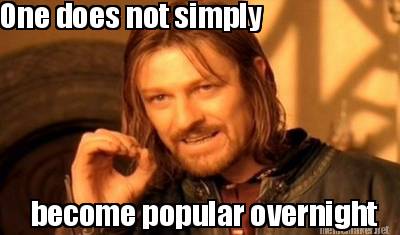
        Picture of Boromir from The Fellowship of the Ring with the text "One does not simply become popular overnight".
        "One does not simply" meme. Source: http://www.mememaker.net/

        As I tell our authors, writing and publishing your book is the easy bit, now the hard work starts with marketing. 


        Back in the day, authors had publishers who would take them on publishing tours and spend $30,000 on a marketing plan for each release. And that still happens. There are authors who have those services available to them. However, these days most authors do their own publicity, especially if they want to make any money.

        If you've received a $15,000 advance for a 10,000 print run from a major publisher, congratulations and we'll say good bye here. If you're still with me, let's get down to taws.

        I'm assuming you've taken my advice and have a good author photo, a readable blurb for your book and social media assets developed. If you don't have social media assets let's start with the basics.

        Social media assets

        You need a website dedicated to your book, a Facebook page, and a Twitter account as a minimum. Depending on the book (cookbooks - think Pinterest, young adult - think Tumblr, business - think LinkedIn) you will need other assets. Stay with the mainstream social media mentioned above and/or Google+, Instagram, and YouTube because your time is limited. 
        You can only manage a certain number of accounts well with the time and resources you have.

        Consider using Hootsuite to manage your social media so that you can automate the scheduling of your posts. Use the strengths of your social media assets: share links on Twitter (they get a greater click-through rate), pictures on Facebook and videos on YouTube.

        Once you have your assets, you need to maintain them. Try to tweet every day, Facebook once a day, update LinkedIn twice weekly and blog once a week. Add your Twitter feed to your website, so the content is constantly being refreshed (Google loves fresh content).

        Add a Google Analytics code to each page of your website so that you can track and analyse your traffic easily.

        The great news about all these assets is that they are free to create and operate. You only start adding costs once you start advertising, which I recommend but only once you have all your social media and other digital assets working for you.


        Social media is everywhere - so you can be too.


        Other digital assets

        As an author there are some great sites devoted to books where you can create an account and get your books reviewed. In fact, there is an entire industry devoted to just that. goodreads is essential. It's free to create an account and you can add that great author photo, your bio and write a blog that could reach 30 million book lovers. There are other sites but goodreads is a great place to start. 

        Your book's website

        Your website is a salesperson who works 24/7 and doesn't take sick leave. It should be as slick as you can make it. Have a look at the sites of other authors in your genre for what works. Huffington Post surveyed its readers for their favourites and never underestimate the power of independent bloggers and reviewers - they will link to your website.

        Blogging

        Now that you are an author, you should make it a goal to write a blog post each week. If you have a WordPress website or blog site, you can put the goal in the settings and it will remind you to post a blog via email.

        Content for social media and blogs

        Clearly, if you have speaking engagements, book signings or launches you will write about these. You should also have a friend take photos of you signing books and speaking, so that you can include them in your posts. 

        But what happens when you run out of ideas? Firstly, sit down and write out 10 blogging topics and set yourself the task to write one a week. Next, use the tools built into HootSuite and other sites to curate content for you. Enter a list of key words and it will suggest content for your to post from others. Follow key accounts on Facebook and Twitter and repost and retweet their content: it gives you content for little effort and the other account may return the favour and share something of yours.

        For your blog topics think about things that will interest your readers - where did your characters come from? How did you work out which topics to address in your business manual? What is it like being an author? People are interested in your story. So tell a story about writing the book or how you became an author or what prompted you to write the book. Use storytelling, similes (phrases that use the words 'like' or 'as'), active language, metaphors and detailed examples. These techniques will make your posts more interesting. 

        Speaking engagements

        Black and white image of a typewriter with the text "meet the author".
        Libraries often host "Meet the author" events.
        Source: www.eastlakelibrary.org/
        Offer to speak at your local writers group, editors society, service club or any other group you think might be interested in your topic. Contact your local council about "Meet the author" events at public libraries.
        Visit your local bookshop and see if they will have you speak at one of their author lunches. Browse your local Meetups for groups that may like a guest speaker. 

        Try and line up at least 12 speaking engagements a year. Aim to sell a set number of books each time you sell. After a few speaking engagements, you will be able to gauge how many books you sell on each occasion. If you sell 20 books each time you speak, then you will need to have 35 speaking engagements (almost one a week) in a year to clear those 700 books out of the garage. 

        Join societies

        In every state in Australia there are societies of authors and publishers, writing centres, book clubs and writers festivals. Get involved, take a stand or stall at any relevant conferences where you think your book might sell.

        General publicity

        Write a media release for your book launch. Send it to your local paper as well as the major metro dailies as well as bloggers and relevant sites for your topic. Provide professional photographs of you and images of your book cover. Use a wire service such as AAP Medianet or PRWire to distribute your release (this will cost money). If you don't have a budget for a paid service use one of the free PR newswire services. At the very least, get your release indexed by Google News

        Knock on doors

        It's not very likely but you can try the direct approach to getting your book in bookshops. Try Readings, Gleebooks, Dymocks (try your local Dymocks first), and independent book stores (check the directories hosted by Australian Independent Bookseller and Danny Yee).

        Use a distributor

        If you have a print book, send your book to a distributor. Dennis Jones & Associates is the most used service in Australia but you can also try Macmillan Distribution Services, Australian Book Group and United Book Distributors. If you have a specialist topic  that you can approach (like Koorong for Christian resources or Co-op for tertiary education).

        If you have printed your book through a print on demand service such as Lulu or Blurb, they too will have distribution services that you can pay for.

        Marketing calendar 


        Now you have all your assets developed, your distribution plan in place and a few dates for conferences and speaking engagements plus all those commitments to tweet, post, and blog and vlog (video blogging). Organise all your commitments into a Google Calendar (another free asset). Input your daily, weekly, monthly and ad hoc commitments. You will soon find that you have something penciled in for most days/weeks.

        Stylised graphic of Google Calender.
        Google calender synchronises across multiple platforms and devices. Source: blog.smartvisite.com/

        That sounds daunting but if you aim to be a full time writer, then you'd better get used to putting yourself into the public gaze to vend your wares. 

        And the best-selling tactic?

        The very best thing you can do to sell your first book, is to write and publish your second. Think of it as renewing your product line. We all want the latest, the freshest and the most up to date, however, if we can get a bargain we might very well buy an older model. Game of Thrones didn't become a hit in the first season. Some people are catching on now and Season 1 is selling well in iTunes.


        If you've got this far, congratulations! You are well on your way to being a successful published author. We wish you all the very best and hope that you become a household name or at least sell all the books you have printed.

        Red Raven Books is the publishing and imprint arm of The Copy Collective. Find out how we can help you today.